Now Reading: What is a PLC? The Brains Behind Modern Automation
-
01
What is a PLC? The Brains Behind Modern Automation

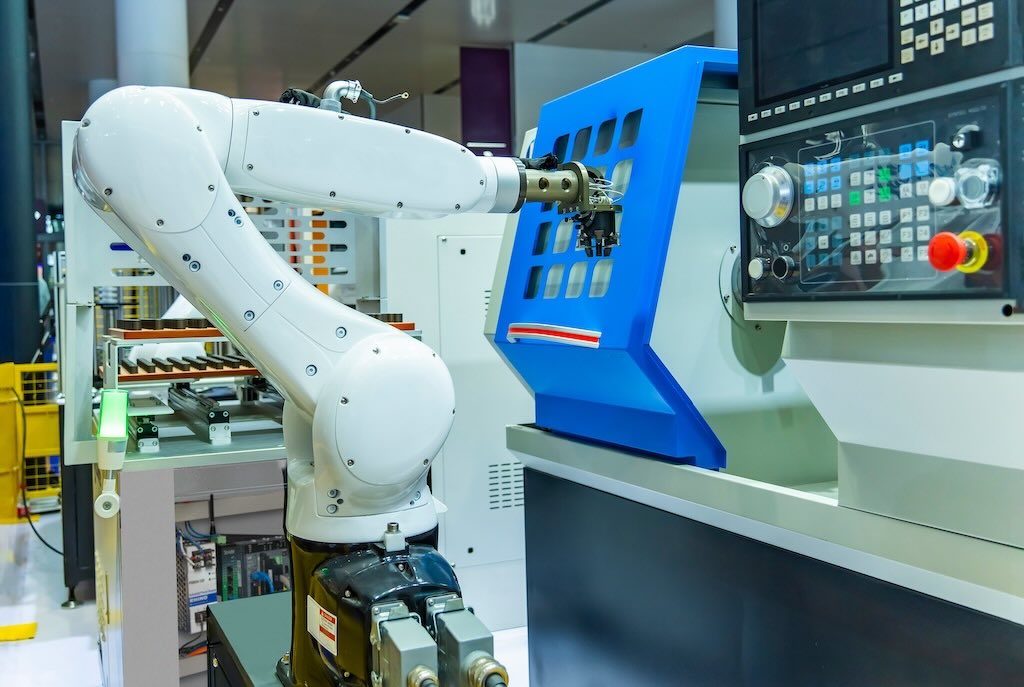
Have you ever wondered how a roller coaster knows exactly when to stop, or how a bottling plant fills thousands of bottles to the perfect level every hour? The secret isn’t magic; it’s a powerful little computer called a Programmable Logic Controller, or PLC. Think of a PLC as the industrial-strength brain behind countless automated processes that shape our daily lives, from manufacturing cars to sorting our packages.
These rugged devices are built to withstand tough environments like factory floors, operating reliably through vibrations, extreme temperatures, and electrical noise. Unlike your home computer, a PLC is designed for one primary purpose: to control machinery with incredible precision and reliability. In this guide, we’ll explore the question, what is a plc, and uncover how this essential technology powers the modern world. We will dive into its components, how it works, its different types, and where you can find it in action.
Key Takeaways
- What is a PLC: A PLC is a ruggedized industrial computer used to automate and control electromechanical processes in manufacturing, assembly lines, and other industrial settings.
- Core Function: It receives input from sensors and devices, executes a user-programmed logic, and sends output commands to control actuators like motors, lights, and valves.
- Key Components: A PLC consists of a Central Processing Unit (CPU), memory (RAM/ROM), and Input/Output (I/O) modules, all housed in a durable chassis.
- Why They Are Used: PLCs are favored for their reliability, flexibility, scalability, and ease of programming compared to older hard-wired relay systems. They are built for harsh industrial environments.
- Widespread Applications: You can find PLCs in almost every industry, including automotive manufacturing, food and beverage processing, energy management, and theme park attractions.
A Deeper Dive: What is a PLC and Why Does It Matter?
To truly understand what is a plc, we need to look back at what it replaced. Before the late 1960s, automating a factory line involved complex webs of electromechanical relays, timers, and counters. These systems were massive, taking up huge cabinets. They were also incredibly inflexible. If a company wanted to change even a small part of the manufacturing process, electricians had to spend days or even weeks physically rewiring hundreds of relays. This process was not only time-consuming and expensive but also prone to errors. A single loose wire could bring an entire production line to a halt.
The invention of the PLC revolutionized the industry. It replaced the physical wiring with software. Now, instead of rewiring, an engineer could simply change a few lines of code on a computer and upload it to the PLC. This shift brought unprecedented flexibility and speed to manufacturing. A process that once took weeks to modify could now be updated in a matter of hours. This innovation drastically reduced downtime, lowered costs, and allowed for more complex and efficient automation than ever before. The PLC made modern, agile manufacturing possible.
The Core Components of a PLC System
A PLC might seem complex, but it’s made up of a few key parts that work together. Understanding these components is crucial to grasping how a PLC functions as the heart of an automated system.
Central Processing Unit (CPU)
The CPU is the brain of the PLC. It’s a microprocessor that performs all the logic, calculations, and decision-making. The CPU continuously runs a program stored in its memory. It reads the status of all the inputs, executes the user-written program based on those inputs, and then updates the outputs accordingly. The speed of the CPU, often measured in scan time, determines how quickly the PLC can react to changes and control the machinery. A faster CPU means the PLC can handle more complex tasks and control processes that require split-second timing.
Memory: RAM and ROM
A PLC has two main types of memory. Read-Only Memory (ROM) is where the PLC’s operating system is permanently stored. This is the fundamental software that allows the PLC to function, and it cannot be changed by the user. Random Access Memory (RAM) is where the user’s specific program, along with data from inputs and the status of outputs, is stored. This memory is volatile, meaning it would be lost if power were cut. To prevent this, most PLCs use a backup battery or a non-volatile type of RAM to ensure the program is safe during a power outage.
Input/Output (I/O) Modules
The Input/Output (I/O) modules are the PLC’s connection to the real world. They are the eyes, ears, and hands of the system.
- Input Modules: These modules take signals from sensors, buttons, and switches out in the field and convert them into a language the CPU can understand. For example, an input module might detect if a safety gate is closed or if a product is in the correct position on a conveyor belt.
- Output Modules: These modules take commands from the CPU and convert them into signals that can control devices like motors, lights, valves, and pumps. For instance, after the CPU decides a bottle is full, it tells an output module to turn off the filling valve.
Power Supply
The power supply is a vital component that takes the incoming plant voltage (like 120V AC or 240V AC) and converts it into the low-voltage DC (usually 24V DC) that the internal components of the PLC, such as the CPU and I/O modules, need to operate. A stable and reliable power supply is critical for the PLC to function correctly and avoid unexpected shutdowns.
How Does a PLC Actually Work? The Scan Cycle Explained
The magic of a PLC happens in a continuous, looping process known as the scan cycle. This cycle happens very quickly, often thousands of times per second. It ensures the PLC is always monitoring the system and reacting to changes in real-time. The scan cycle consists of four main steps.
- Read Inputs: The first step is for the CPU to check the status of every input connected to it. It goes through each input module and creates a snapshot of the current state of all the switches, sensors, and other input devices. For example, is the start button pressed? Is the temperature sensor above the set limit? This data is stored in a part of the PLC’s memory called the input image table.
- Execute Program: In the second step, the CPU executes the user-created program, one instruction at a time, from top to bottom. This program is a set of logical rules, often written in a language called Ladder Logic. The CPU looks at the input data it just saved and makes decisions based on the program’s instructions. For example, the program might say, “IF the start button is pressed AND the safety guard is in place, THEN turn on the motor.”
- Update Outputs: After executing the entire program, the CPU updates the output image table in its memory with the results of its decisions. It determines which outputs need to be turned on, turned off, or left as they are. This is still just happening inside the PLC’s brain; no real-world action has occurred yet.
- Housekeeping and Communication: Finally, the CPU sends the signals from the updated output image table to the actual output modules, which then energize or de-energize the connected devices (motors, lights, etc.). In this step, the PLC also performs self-diagnostics to check its own health and communicates with any connected programming devices or other PLCs. Once this is complete, the cycle immediately starts over again with step one.
Types of PLCs: From Small Bricks to Powerful Racks
PLCs are not a one-size-fits-all solution. They come in various shapes and sizes to fit different needs, from controlling a single machine to managing an entire factory. The two main categories are Compact (or Brick) PLCs and Modular PLCs.
Compact PLCs
A compact PLC, often called a “brick” or “fixed” PLC, is an all-in-one unit. In a single housing, you get the processor, power supply, and a fixed number of input and output points. They are called “fixed” because you cannot add more I/O modules directly to the main unit. However, many compact PLCs allow for a limited number of expansion modules to be added if a few extra I/O points are needed.
These PLCs are perfect for smaller, simpler automation tasks. You might find them controlling a simple conveyor system, an automatic door, or a single packaging machine. They are cost-effective, take up very little space, and are relatively easy to program, making them an excellent choice for small-scale applications or for those new to automation.
Modular PLCs
A modular PLC is designed for flexibility and power. It consists of a base or “rack” where different modules can be plugged in. You start with a rack, a power supply module, and a CPU module. Then, you can customize the PLC by adding the exact number and type of I/O modules you need for your specific application. If you need more inputs, you add an input module. If you need to control a specific type of motor, you can add a specialized output module.
This modularity makes them incredibly scalable. You can start with a small system and add more racks and modules as your factory grows or your process becomes more complex. Modular PLCs are used in large, high-speed, and complex applications like automotive assembly lines, chemical processing plants, and power generation facilities. They have more powerful processors, larger memory capacities, and more advanced features than their compact counterparts.
|
Feature |
Compact PLC |
Modular PLC |
|---|---|---|
|
Structure |
All-in-one unit (CPU, Power, I/O) |
Separate modules on a rack |
|
I/O Points |
Fixed, with limited expansion |
Highly customizable and expandable |
|
Scalability |
Low |
High |
|
Cost |
Lower initial cost |
Higher initial cost, flexible pricing |
|
Size |
Small, space-saving |
Larger footprint |
|
Complexity |
Simple, easy to use |
More complex, powerful features |
|
Best For |
Small machines, simple tasks |
Large systems, complex processes |
PLC vs. Other Controllers: What’s the Difference?
While the PLC is a dominant force in industrial control, it’s not the only player. Understanding the distinctions between PLCs and other devices like microcontrollers and relays helps clarify why the PLC is the right tool for certain jobs.
PLC vs. Relays
As mentioned earlier, PLCs were invented to replace relay logic systems. Relays are electromechanical switches that open or close a circuit. To create logic, you had to physically wire many relays together.
- Flexibility: A PLC program can be changed in minutes. A relay system requires hours or days of physical rewiring.
- Reliability: Relays have moving parts that wear out over time. PLCs are solid-state and far more reliable.
- Size: A single PLC can replace hundreds of relays, saving enormous amounts of space.
- Cost: While a single relay is cheap, a complex system of them is more expensive in terms of components, wiring, and labor than a single PLC.
- Advanced Functions: PLCs can handle advanced tasks like mathematical calculations, data logging, and communication, which are impossible with simple relays.
PLC vs. Microcontrollers (like Arduino)
Microcontrollers, such as those found on Arduino or Raspberry Pi boards, are the tiny computer chips inside many electronic devices. They are powerful and incredibly versatile, but they are not the same as PLCs.
- Ruggedness: A PLC is designed to survive the harsh conditions of a factory floor—vibration, electrical noise, and temperature extremes. A microcontroller board is a delicate electronic device meant for a clean, stable environment.
- I/O: PLCs are designed with standardized voltage levels (like 24V DC) for industrial sensors and actuators. Microcontrollers work at much lower voltages (like 3.3V or 5V) and require extra circuitry to interface with industrial equipment.
- Programming: PLCs are typically programmed with intuitive graphical languages like Ladder Logic, which is easy for electricians and technicians to learn. Microcontrollers are programmed with text-based languages like C++ or Python, which require more specialized programming skills.
- Reliability and Safety: PLCs are built with reliability as the top priority and often include safety-certified versions for critical applications. Hobbyist microcontrollers are not designed or certified for this level of dependability.
Programming a PLC: The Language of Automation
The instructions you give a PLC are written in a programming language. While several languages exist, one stands out in the industry for its simplicity and intuitive nature: Ladder Logic. The standard that governs these languages is IEC 61131-3.
Ladder Logic (LD)
Ladder Logic is the most popular PLC programming language. It was designed to look just like the electrical relay schematics that it replaced. This made it very easy for electricians and technicians, who were already familiar with relay diagrams, to transition to programming PLCs. The “ladder” has two vertical rails, representing the power connections, and horizontal “rungs” that contain the logic. On the left side of a rung, you have conditions (inputs like switches and sensors), and on the right, you have actions (outputs like motors and lights). The logic flows from left to right, and if the conditions on the left are true, the output on the right is turned on.
Other Common PLC Languages
- Function Block Diagram (FBD): This is a graphical language where program elements appear as blocks. The blocks are connected with lines to show the flow of data and logic. It’s very useful for processes where information flows between different control loops.
- Structured Text (ST): This is a high-level, text-based language similar to Pascal or C. It is excellent for handling complex mathematical calculations, loops, and algorithms that would be very difficult to implement in Ladder Logic.
- Instruction List (IL): This is a low-level, text-based language that resembles assembly language. Each line represents a single, simple instruction. It’s very efficient but can be more difficult to read and debug.
- Sequential Function Chart (SFC): This graphical language is used to program processes that happen in a specific order or sequence. It breaks down the process into steps and transitions, making it easy to visualize and manage complex sequences of operations.
Where Are PLCs Used? Real-World Applications
The question what is a plc is best answered by looking at where they are used. The simple answer is: almost everywhere automation is needed. From the food we eat to the cars we drive, PLCs are working tirelessly behind the scenes.
- Manufacturing: This is the most common home for PLCs. In an automotive plant, PLCs control the robotic arms that weld car bodies, the conveyor systems that move parts, and the machines that paint the finished vehicles.
- Food and Beverage: In a bottling plant, PLCs control the entire process: cleaning the bottles, filling them to the exact level, capping them, and applying the labels. In a bakery, they control oven temperatures and baking times.
- Energy and Utilities: Power plants use PLCs to monitor and control generators and distribution systems. Water treatment facilities use them to manage pumps, valves, and chemical dosing to ensure our water is safe.
- Entertainment: Have you been on a modern roller coaster or theme park ride? The complex safety systems, the timing of the ride elements, and the special effects are all controlled by highly reliable PLCs.
- Logistics and Warehousing: The massive automated sorting systems used by companies like Amazon and FedEx rely on PLCs to read barcodes and divert packages to the correct destination chute at incredible speeds.
For more insights into technology’s role in various sectors, you can explore resources like those found at forbesplanet.co.uk.
The Future of PLCs and Industrial Automation
The world of automation is constantly evolving, and the PLC is evolving with it. The rise of “Industry 4.0,” or the smart factory, is pushing PLCs to become even more powerful and connected. Modern PLCs are now integrating more advanced features, including enhanced communication capabilities. They can easily connect to company networks, cloud platforms, and other business systems. This allows for real-time data collection and analysis, which helps companies optimize their processes, predict maintenance needs, and improve overall efficiency.
Furthermore, the line between a PLC and a traditional computer is blurring. Newer models, sometimes called Programmable Automation Controllers (PACs), combine the rugged reliability of a PLC with the processing power and flexibility of a PC. They can handle complex data management and run multiple control programs at once, all while communicating seamlessly over standard networks like Ethernet. As technology continues to advance, the PLC will remain a cornerstone of industrial automation, becoming even smarter, faster, and more connected.
Conclusion
So, what is a plc? At its core, a Programmable Logic Controller is a specialized industrial computer that serves as the brain for automated machinery and processes. It replaced outdated, inflexible relay systems with reliable, easily programmable software, fundamentally changing the face of manufacturing and industry. By reading inputs from sensors, executing a user-defined program, and controlling outputs like motors and valves, the PLC brings precision, speed, and dependability to countless applications that we rely on every day. From compact bricks controlling single machines to powerful modular systems running entire factories, the PLC is an indispensable and enduring piece of modern technology, continuing to evolve as it powers the next generation of smart automation.
Frequently Asked Questions (FAQ)
Q1: What is the main purpose of a PLC?
The main purpose of a PLC is to automate industrial processes. It monitors inputs from sensors and other devices, makes decisions based on a custom program, and controls outputs to operate machinery, ensuring processes run efficiently, reliably, and safely.
Q2: Is a PLC a computer?
Yes, a PLC is a type of computer, but it’s specifically designed for industrial environments. It’s much more rugged and reliable than a desktop or laptop computer and is optimized for real-time control tasks rather than general-purpose computing.
Q3: Who invented the PLC?
The PLC was invented by Richard “Dick” Morley in 1968. He was working at a company called Bedford Associates and developed the first PLC, which he called the “Modicon” (Modular Digital Controller), for General Motors to replace their inefficient relay control systems.
Q4: Is it hard to learn PLC programming?
For those with a background in electrical or mechanical systems, learning the most common PLC language, Ladder Logic, is often quite intuitive because it mimics electrical schematics. While mastering complex programming can take time, the basics are very accessible, which is a key reason for the PLC’s popularity.
Q5: What is the difference between a PLC and a DCS?
A PLC (Programmable Logic Controller) is typically used for high-speed, discrete control of individual machines or smaller processes (like an assembly line). A DCS (Distributed Control System) is generally used for continuous, process-wide control in large plants (like a chemical plant or oil refinery). A DCS is more focused on process control and supervision, while a PLC excels at machine control.
Stay Informed With the Latest & Most Important News
Previous Post
Next Post










Advertisement