Now Reading: The Ultimate Guide to Twitch: Everything You Need to Know About Streaming
-
01
The Ultimate Guide to Twitch: Everything You Need to Know About Streaming

Live streaming has completely changed how we watch entertainment. Instead of just watching pre-recorded videos on TV or YouTube, people are tuning in to watch things happen in real-time. At the center of this revolution is a platform called Twitch. Whether you are a gamer, a musician, or just someone who loves chatting with people online, you have probably heard of it. But what exactly is it, and why is it so popular? In this guide, we will break down everything you need to know about this massive streaming giant.
Key Takeaways:
- Twitch is the world’s leading live streaming platform for gamers and content creators.
- You can watch streams for free or support creators through subscriptions and donations.
- It offers more than just gaming; there are categories for music, art, and “Just Chatting.”
- Starting your own channel is free, but growing an audience takes time and effort.
- Safety is important, so knowing how to use moderation tools is key for a good experience.
What Is Twitch and How Does It Work?
Twitch is a live streaming service that focuses on video game live streaming, including broadcasts of esports competitions. It also offers music broadcasts, creative content, and “in real life” (IRL) streams. Think of it like live television, but anyone can be the star of the show. It was launched in 2011 and was later bought by Amazon. The platform allows viewers to watch streamers play games, cook, paint, or just talk to their audience in real-time.
The core of the platform is interaction. Unlike a YouTube video where you leave a comment and maybe get a reply days later, Twitch happens right now. There is a chat room on the side of every stream where viewers can type messages. The streamer can see these messages and reply instantly. This creates a strong connection between the creator and the audience. It feels like hanging out with a friend on a couch while they play a game. You aren’t just a passive viewer; you are part of the experience.
The History of the Platform
It actually started as a spin-off of a site called Justin.tv. Justin.tv was a general streaming site, but the gaming section grew so fast that the owners decided to make it a separate site. They named it Twitch. It exploded in popularity because it gave gamers a place to show off their skills and build communities. In 2014, Amazon saw the potential and bought the company for nearly $1 billion. Since then, it has continued to grow, adding new features and expanding beyond just video games.
Who Uses It?
Almost everyone! While it started with hardcore gamers, the audience has broadened significantly. You will find professional esports players practicing for tournaments. You will find casual gamers who just want to have fun. You will also find artists drawing digital art, musicians performing live concerts from their bedrooms, and even people just walking around cities showing viewers what life is like in different parts of the world. The diversity of content is huge, meaning there is likely something for everyone to enjoy.
Why Is Twitch So Popular Among Gamers?
The main reason Twitch is so huge is the community. Gamers have always loved playing together, but this platform allows them to share that experience with thousands of people at once. For viewers, it is a way to see games played at a high level or to check out a new game before buying it. It is also about personality. People do not just watch for the gameplay; they watch because they like the streamer’s sense of humor or their commentary.
Another big factor is the live aspect. When something amazing happens in a game—like a rare victory or a funny glitch—everyone in the chat reacts at the same time. This shared excitement is something you cannot get from watching a pre-recorded video. It creates “moments” that become inside jokes within the community. Furthermore, the platform has integrated well with game developers. Many games now have features that allow viewers to influence the game the streamer is playing, making the experience even more interactive.
Esports and Tournaments
Esports is competitive video gaming, and Twitch is its home stadium. Major tournaments for games like League of Legends, Dota 2, and Valorant are broadcast to millions of viewers. These events have professional production quality, commentators, and huge prize pools. Watching an esports final on the platform feels just as intense as watching the Super Bowl. Fans can cheer for their favorite teams in the chat and spam specific “emotes” (custom emojis) to show support.
The “Just Chatting” Phenomenon
Interestingly, one of the most popular categories on Twitch isn’t a game at all. It is called “Just Chatting.” In this category, streamers simply sit and talk to their chat. They might watch funny videos, react to news, or tell stories about their lives. This category proves that the platform has evolved beyond just gaming. It shows that people are looking for connection and companionship. It is like a live podcast where the listeners can talk back.
How to Get Started as a Viewer
If you want to start watching, it is incredibly easy. You can go to the website on your computer or download the app on your phone, tablet, or gaming console. You do not even need an account to watch, but creating one unlocks the best features. With an account, you can follow your favorite channels so you know when they go live. You can also participate in the chat, which is half the fun.
Once you are on the site, you can browse by “Categories” to find specific games you like, or browse by “Live Channels” to see who has the most viewers right now. When you click on a channel, you will see the video player in the center and the chat on the right (on desktop). Don’t be shy! Say “hello” in the chat. Most smaller streamers love welcoming new people. Just remember to be polite and follow the chat rules, which are usually posted below the video player.
Creating an Account
Signing up is free. You just need an email address and a password. You will also choose a username, which will be your identity in the chat. Once you have an account, you can customize your profile with a picture and a bio. You can also adjust your settings to get notifications when your favorite streamers go live. This ensures you never miss a moment of the action.
Understanding the Interface
The interface might look busy at first, but it is simple once you know the basics.
- Video Player: This is the main screen showing the stream.
- Chat: The scrolling text where viewers talk.
- Follow Button: A heart icon. Click this to follow a streamer for free.
- Subscribe Button: A star or star-like icon. This is for paid support (more on this later).
- Channel Points: You earn these just by watching. You can use them to highlight your messages or unlock fun rewards set by the streamer.
How to Support Your Favorite Streamers
While watching is free, Twitch offers several ways to support the creators you love. Streamers put a lot of work into their broadcasts, often streaming for hours every day. If you enjoy their content, supporting them helps them continue doing what they do. The most direct way is through a Subscription (or “Sub”). A basic subscription costs money monthly. In return, you get ad-free viewing on that channel (usually), custom emotes to use in chat, and a badge next to your name showing how long you have been a supporter.
Another way to support is through Bits. Bits are virtual goods you can buy from Twitch. You can then “Cheer” with these Bits in a chat. It is like throwing coins into a busker’s guitar case. When you cheer, a special animated emote appears in the chat, and your message often gets highlighted so the streamer sees it. It is a great way to celebrate a cool moment or just say thank you.
Subscriptions vs. Following
This is a common point of confusion for new users.
- Following: This is free. It is like subscribing to a YouTube channel. It just adds the channel to your list so you can find it easily.
- Subscribing: This is paid. It is a monthly payment to support the streamer financially.
- Prime Gaming: If you have an Amazon Prime account, you can link it to your Twitch account. This gives you one free subscription every month to use on any streamer you want! It is a fantastic way to support someone without spending extra money.
Donations
Many streamers also have a donation link in their profile (often through third-party services like PayPal). This allows you to send money directly to them. Unlike Bits or Subs, Twitch does not take a cut of these direct donations (though payment processing fees apply). If you donate, your message usually pops up on the screen and is read aloud by a computer voice, which can be a fun way to interact.
Starting Your Own Twitch Channel
So, you want to be a streamer? That is awesome! Streaming is a fun hobby and can even become a career for the very dedicated. The barrier to entry is low. You can stream directly from a PlayStation or Xbox console without any extra equipment. If you want to stream from a PC, you will need some broadcasting software like OBS Studio (which is free) and a decent computer that can handle playing a game and streaming video at the same time.
The most important thing when starting is consistency. Try to stream on a schedule so people know when to find you. Also, do not worry about having zero viewers at first. Everyone starts there. Talk constantly, even if no one is chatting. You need to practice your commentary so that when someone does click on your stream, they hear you talking and want to stay. Hide the viewer count if it makes you nervous, and just focus on having fun with the game.
Essential Equipment
You don’t need a professional studio to start, but a few basics help.
- Microphone: Audio quality is more important than video quality. A decent USB microphone is a great investment. If people can’t hear you clearly, they won’t stay.
- Webcam: While not strictly necessary (some streamers use avatars or no cam), viewers usually like to see the person playing. A basic HD webcam is fine.
- Good Internet: You need a stable upload speed to stream video without lagging. Connect your device with an ethernet cable instead of Wi-Fi if possible.
Choosing What to Stream
You might think you should stream the most popular game, like Fortnite or Call of Duty. However, those categories are saturated with thousands of streamers. It is very hard to get noticed there. It is often better to stream a less popular game that has a dedicated community. Or, just play what you genuinely love. Viewers can tell if you are having fun, and enthusiasm is contagious. If you visit sites like Forbes Planet, you can often find trends and tech news that might inspire your content choices.
Safety and Moderation on Twitch
Because Twitch is live, anything can happen. This makes it exciting, but it also means safety is important. The platform has strict Community Guidelines that ban hate speech, harassment, and inappropriate content. If a streamer breaks these rules, they can be banned. As a viewer, you also have to follow rules. If you are mean in chat, you can be timed out (temporarily silenced) or banned from that specific channel.
Streamers have tools to keep their chat safe. They can use “AutoMod,” a computer program that automatically blocks bad words. They can also appoint human Moderators (Mods). Mods are trusted viewers who have a green sword icon next to their name. They have the power to delete messages and ban users who are causing trouble. This helps keep the community friendly and welcoming for everyone.
For Parents: Is it Safe for Kids?
Twitch is generally rated for users aged 13 and up. However, the content varies wildly. Some streams are very family-friendly, while others feature mature games with violence or strong language. There is a “Mature Content” warning that streamers must enable if their content isn’t suitable for younger audiences, but it is self-regulated. Parents should monitor what their kids are watching or use the platform’s parental controls to restrict access to certain content.
Protecting Your Privacy
If you decide to stream, be careful about your privacy. Never show your address, phone number, or school on stream. The internet is a big place, and it is better to be safe. As a viewer, be careful about clicking links in chat from people you don’t know. Stick to the official links posted by the streamer or their moderators.
The Different Categories on Twitch
We mentioned gaming and chatting, but Twitch is a massive universe with many different corners. Exploring different categories is the best way to find new content. The “Creative” section is full of incredibly talented people. You can watch people paint, sculpt, build cosplay armor, or even code software. It is a great place to learn new skills or just watch a master at work.
There is also a “Music” category. Here, you can find DJs spinning tracks, guitarists taking request songs, or full bands performing live. It is a great way to discover new music. The “Food & Drink” category features people cooking meals, often with chat helping them choose ingredients (or distracting them so they burn the toast!).
Table: Popular Twitch Categories
|
Category Name |
What You Will Find |
Best For… |
|---|---|---|
|
Just Chatting |
Streamers talking to chat, watching videos, reacting to content. |
Interaction and casual entertainment. |
|
League of Legends |
High-level gameplay of the popular MOBA game. |
Esports fans and competitive gamers. |
|
Minecraft |
Building, survival, and modded gameplay. |
Creativity and relaxing vibes. |
|
Music |
Live performances, DJ sets, and music production. |
Music lovers and background noise. |
|
Art |
Digital drawing, painting, animation. |
Inspiration and learning techniques. |
|
ASMR |
Whispering, tapping, and soothing sounds. |
Relaxation and sleep aid. |
Twitch Emotes and Culture
One of the most unique things about Twitch is its language. The chat moves fast, and users often communicate using “Emotes.” These are small images that represent feelings or reactions. The most famous one is “Kappa,” a grayscale face used to indicate sarcasm or a joke. If someone says something and puts a Kappa at the end, they don’t mean it seriously.
Another popular emote is “PogChamp” (or variations of it like “Pog”), which expresses excitement or amazement. If a streamer makes a great play, the chat will flood with Pog emotes. Learning this “language” is part of the fun of joining the community. Each channel also has its own custom emotes that only subscribers can use, which helps build a sense of belonging among the fans.
Global Emotes vs. Channel Emotes
- Global Emotes: Available to everyone on the platform. Examples: Kappa, LUL (laughter), BibleThump (crying).
- Channel Emotes: Custom-made by a specific streamer. You unlock these by subscribing to that channel. They often feature the streamer’s face or inside jokes from that specific community.
Copypastas and Memes
You might see long blocks of text being pasted into the chat over and over again. These are called “copypastas” (copy-paste). They are usually funny stories or spammy messages that the community finds amusing. It might look annoying to an outsider, but it is just another way the crowd participates in the show. It is like the wave at a sports stadium—everyone joining in on the same action.
Tips for Growing a Twitch Channel
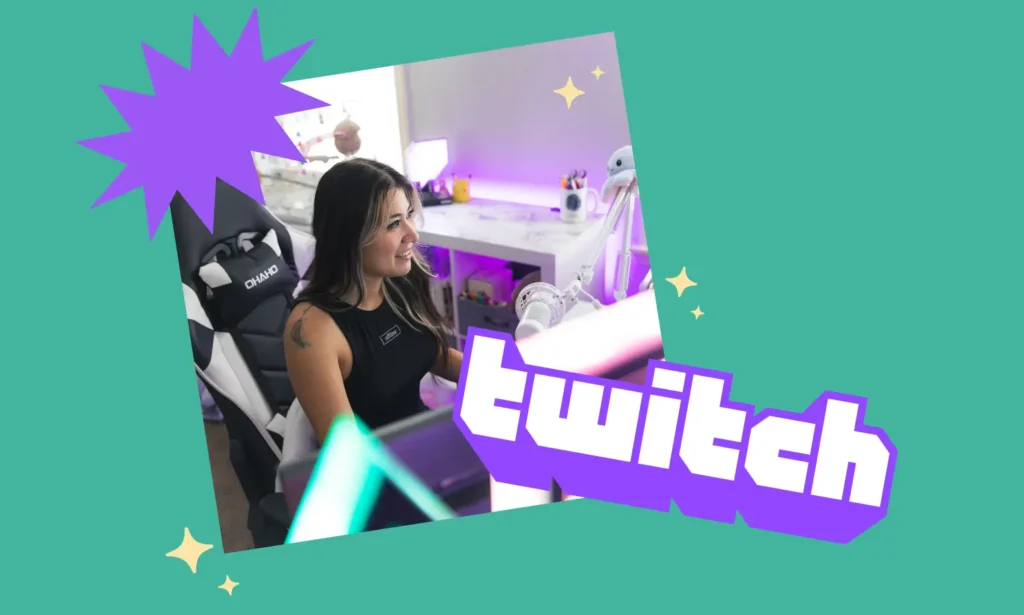
Growing a channel is the hardest part of streaming. Many people give up because they stream to zero viewers for months. The key is networking. You cannot just go live and expect people to find you. You need to be active on other social media platforms like Twitter (X), TikTok, or Instagram. Post clips of your best moments there and direct people to your Twitch link.
Networking also means making friends with other streamers. Don’t just go into their chat and ask for shoutouts (that is rude!). Instead, become a genuine part of their community. Host them (share their stream on your channel) when you finish streaming. Raid them (send your viewers to their channel) when you go offline. If you are kind and supportive, they might return the favor one day.
Engagement is King
When someone new enters your chat, welcome them! Ask them how their day is. People watch Twitch for interaction. If they wanted to watch gameplay without talking, they would watch a YouTube video. Your job as a streamer is to be an entertainer and a host. Make your viewers feel special and appreciated, and they will likely come back.
Improving Production Quality
Start with the basics, but look to improve over time.
- Overlays: Simple graphics that border your webcam or show recent followers add a professional touch.
- Alerts: Set up animations that play on screen when someone follows or subscribes. This acknowledges their support publicly.
- Lighting: You don’t need expensive lights. A simple desk lamp bounced off a wall can make your webcam look much better.
Twitch Prime and Turbo
We touched on Prime Gaming earlier, but it is worth a deeper look. If you or your parents have Amazon Prime, you essentially have a premium Twitch experience waiting for you. You have to link the accounts manually, but once you do, you get free in-game loot for popular games, exclusive emotes, and that valuable free monthly subscription. It is one of the best perks in gaming.
There is also a service called Twitch Turbo. This is a separate monthly subscription paid directly to the platform. It removes ads across the entire site (not just one channel), gives you more emote sets, and increases your video storage for past broadcasts. It is great for power users who watch a lot of different channels and hate sitting through commercials.
Handling Ads
Ads are how the platform and streamers make money, so they are a necessary part of the ecosystem. However, they can be annoying. Subscribing to a channel usually removes ads for that specific channel. Using Turbo removes them everywhere. Some streamers also run ads manually during downtime (like when they are getting a snack) so that viewers don’t miss the action.
The Future of Live Streaming
Twitch is constantly changing. New competitors like YouTube Gaming and Kick are trying to take its crown, which forces the platform to innovate. We are seeing better video quality, more interactive features, and better ways for streamers to earn a living. The line between “streamer” and “celebrity” is blurring. Top streamers are now signing massive contracts and appearing in mainstream commercials.
However, the heart of the platform remains the same: real-time connection. As long as people want to hang out, play games, and share experiences together online, Twitch will likely be the place they do it. Whether you are there to watch the world’s best gamers or just to find a chill place to chat, there is a community waiting for you.
Getting Involved
Don’t just read about it—go check it out! Visit the website, browse a category that interests you, and click on a stream. You might just find your new favorite form of entertainment. And if you are looking for more tech tips or gaming news to stay ahead of the curve, check out resources like Forbes Planet to keep your digital knowledge sharp.
Key Takeaways
- Twitch is a live streaming platform primarily for gamers but includes music, art, and chatting.
- Interaction is key; viewers can chat with streamers in real-time.
- You can watch for free or support creators via Subscriptions and Bits.
- Amazon Prime members get special perks like a free monthly subscription.
- Safety tools like blocking and moderation help keep the experience positive.
- Starting a channel is free, but requires consistency and networking to grow.
Frequently Asked Questions (FAQ)
1. Is Twitch completely free to use?
Yes, watching streams and creating an account is 100% free. You only pay if you choose to subscribe to a streamer, buy Bits, or sign up for Turbo.
2. Can I make money on Twitch?
Yes, but it takes time. You first need to reach “Affiliate” status by streaming regularly and getting an average of 3 viewers. Once you are an Affiliate, you can earn money from subscriptions, ads, and Bits.
3. Do I need a PC to stream?
No! You can stream directly from a PlayStation 4, PlayStation 5, Xbox One, or Xbox Series X/S. You can even stream IRL (In Real Life) content using just your smartphone.
4. What is the difference between a Follower and a Subscriber?
A Follower is someone who tracks your channel for free (like a YouTube subscriber). A Subscriber is someone who pays a monthly fee to support you financially.
5. How old do I have to be to use Twitch?
You must be at least 13 years old to use the platform. If you are under 13, you are not allowed to have an account.
Conclusion
Twitch has grown from a small website for gaming nerds into a global entertainment powerhouse. It offers a unique blend of live content, community interaction, and shared experiences that you just can’t find on television. Whether you are looking to watch the highest level of esports competition, learn how to paint digitally, or just chat with someone friendly after a long day at school, this platform has something for you. Remember to be kind in chat, support the creators you enjoy, and most importantly, have fun exploring the world of live streaming.
Related Posts


Stay Informed With the Latest & Most Important News
Previous Post
Next Post











Advertisement