Now Reading: The Ultimate Guide to Networking and Switching
-
01
The Ultimate Guide to Networking and Switching


Have you ever wondered how your computer talks to your printer, or how you can stream movies from the internet? The magic behind all of this is networking and switching. It’s the invisible backbone that connects our digital world, allowing devices to share information seamlessly. Think of it like the road system for data. Just as cars need roads, signs, and traffic lights to get from one place to another, digital information needs a well-organized network to travel efficiently.
This guide will break down the essentials of networking and switching. We’ll explore what these terms mean, how they work together, and why they are so crucial for everything from our homes to global businesses. You’ll learn about the different types of switches, the layers of a network, and the protocols that keep everything running smoothly. Whether you’re a student, a tech enthusiast, or just curious, this article will give you a clear understanding of how our connected world operates.
Key Takeaways
- Networking and switching are the foundational technologies that allow devices to communicate and share resources.
- A network switch is a hardware device that connects multiple devices on a computer network and uses MAC addresses to forward data to the correct destination.
- Different types of switches (unmanaged, managed, Layer 2, Layer 3) serve different purposes, from simple home setups to complex enterprise environments.
- The OSI model provides a seven-layer framework for understanding how network communications work, with switching primarily operating at the Data Link Layer (Layer 2).
- Key concepts like MAC addresses, VLANs, and switching methods (store-and-forward, cut-through) are vital for efficient network performance.
What is a Computer Network?
Before we dive deep into the specifics of networking and switching, let’s start with the basics. A computer network is simply a group of two or more computers or other electronic devices that are connected to share resources. These resources can include an internet connection, a printer, files, or other hardware and software. The connection between these devices can be wired, like with an Ethernet cable, or wireless, using Wi-Fi. The primary goal of a network is to make communication and sharing easier.
Imagine an office without a network. To print a document, you’d have to save it to a flash drive, walk over to the computer connected to the printer, and print it from there. To share a file with a coworker, you’d have to use a physical storage device. A network eliminates these tedious steps. With a network in place, you can send a document to the printer from your desk and share files with colleagues in seconds, no matter where they are in the building. This fundamental concept of connecting devices is the starting point for understanding the more complex world of networking and switching.
The Role of Switches in a Network
So, if a network is the road system, what is a switch? A network switch is a critical piece of hardware that acts like a smart traffic controller or a central post office. Its job is to connect multiple devices on the same network, such as computers, printers, and servers. When one device sends a piece of data—called a packet or frame—to another device on the network, it goes through the switch first. The switch then intelligently forwards that packet only to the intended recipient, not to every device on the network.
This is what makes a switch “smart” and more efficient than older devices like hubs. A hub is a dumber device that simply broadcasts any data it receives to all connected devices. This creates unnecessary traffic and can slow down the network. A switch, on the other hand, builds a table of Media Access Control (MAC) addresses for all connected devices. A MAC address is a unique identifier assigned to every network-capable device. By using this table, the switch knows exactly where to send each packet, creating a direct, collision-free path. This targeted delivery is the core function of networking and switching and is essential for building fast and reliable networks.
How a Switch Learns MAC Addresses
A network switch isn’t born knowing the location of every device. It learns. The process is quite clever and efficient. When a switch is first powered on, its MAC address table is empty. As soon as a device connected to one of its ports sends out a data frame, the learning begins. The switch reads the source MAC address from that frame and records it in its table, associating it with the port number it came from. For example, if a computer with MAC address AA:BB:CC:11:22:33 on Port 1 sends a frame, the switch adds an entry: “MAC AA:BB:CC:11:22:33 is on Port 1.”
It does this for every device that communicates. When a frame arrives that is destined for AA:BB:CC:11:22:33, the switch checks its table, finds the corresponding port, and forwards the frame only to Port 1. If the switch receives a frame for a destination MAC address it hasn’t learned yet, it will temporarily act like a hub and broadcast the frame to all ports (except the one it came from). Once the destination device responds, the switch will learn its MAC address and add it to the table for future use. This continuous learning process is a fundamental aspect of modern networking and switching.
Types of Network Switches
Not all switches are created equal. They come in various types, each designed for different needs and network sizes. Understanding the differences is key to choosing the right hardware for a specific environment.
Unmanaged Switches
An unmanaged switch is the simplest and most common type, often found in homes and small offices. It’s a plug-and-play device with no configuration required. You just connect your devices with Ethernet cables, and it starts working immediately. Unmanaged switches handle the basic functions of networking and switching—learning MAC addresses and forwarding frames—automatically. They are perfect for small, simple networks where you just need to add more wired connections. However, they offer no advanced features like security management or traffic prioritization.
Managed Switches
A managed switch is a more advanced and configurable device, designed for larger businesses and enterprise networks that require more control. Managed switches offer all the features of an unmanaged switch plus a wide array of tools for network administrators. Admins can log into the switch to configure, manage, and monitor the network. Key features include creating Virtual LANs (VLANs), implementing Quality of Service (QoS) to prioritize certain types of traffic (like video calls), and setting up security protocols to block unauthorized access. This level of control is essential for maintaining the performance, security, and reliability of complex network infrastructures.
Layer 2 vs. Layer 3 Switches
To understand the difference between Layer 2 and Layer 3 switches, we need to briefly touch on the OSI (Open Systems Interconnection) model. This model standardizes network functions into seven layers.
- Layer 2 (Data Link Layer): This is where traditional networking and switching happens. Layer 2 switches use MAC addresses to forward frames within a single local network (or LAN). They are very fast at this but cannot route traffic between different networks.
- Layer 3 (Network Layer): This layer deals with IP addresses and routing traffic between different networks. A router operates at this layer. A Layer 3 switch is a hybrid device that combines the speed and port density of a switch with the routing capabilities of a router. It can make forwarding decisions based on both MAC addresses and IP addresses, making it ideal for large corporate networks with many subnetworks or VLANs that need to communicate.
|
Feature |
Layer 2 Switch |
Layer 3 Switch |
|---|---|---|
|
Operating Layer |
OSI Layer 2 (Data Link) |
OSI Layer 2 and Layer 3 (Network) |
|
Decision Making |
Based on MAC addresses |
Based on both MAC and IP addresses |
|
Functionality |
Switching within a single network |
Switching and routing between networks |
|
Use Case |
Small to medium LANs |
Large enterprise networks with multiple VLANs |
|
Complexity |
Simpler, less configuration |
More complex, requires routing configuration |
Understanding Switching Methods
When a switch forwards a data frame, it doesn’t just do it in one way. There are a few different methods it can use, each with its own trade-offs between speed and reliability.
Store-and-Forward Switching
Store-and-forward is the most common and reliable switching method. When a frame arrives at a switch port, the switch stores the entire frame in a buffer. It then performs an error check using a technique called a Cyclic Redundancy Check (CRC). The CRC value is a number calculated based on the data in the frame; if the frame was corrupted during transmission, the calculated CRC won’t match the one in the frame’s trailer. If the frame passes the error check, the switch looks up the destination MAC address in its table and forwards the frame to the correct port. If the frame is corrupted, it is discarded. This method ensures that no bad frames are propagated through the network, but it introduces a slight delay (latency) because the switch must receive the entire frame before forwarding it.
Cut-Through Switching
Cut-through switching was designed for speed. In this method, the switch starts forwarding the frame as soon as it has read the destination MAC address from the header. It does not wait for the rest of the frame to arrive and does not perform any error checking. This significantly reduces latency and makes the switching process much faster. The main downside is that corrupted frames will be forwarded along with good ones, as the switch has no way of detecting them. This can waste bandwidth and require the end devices to handle error detection. A variation called fragment-free switching tries to find a middle ground by reading the first 64 bytes of the frame before forwarding, as most errors and collisions occur in this initial part. This offers a balance between the speed of cut-through and the reliability of store-and-forward.
What is a VLAN?
A Virtual Local Area Network (VLAN) is a powerful feature available on managed switches. A VLAN allows a network administrator to segment a physical LAN into multiple separate, logical networks. Devices within a single VLAN can communicate with each other as if they were on their own dedicated network, but they are isolated from devices in other VLANs. For example, a company could create separate VLANs for the Engineering, Marketing, and Finance departments.
This segmentation provides several key benefits:
- Enhanced Security: Since traffic from one VLAN cannot cross over into another without a router (or Layer 3 switch), sensitive data in the Finance VLAN is kept secure from other departments.
- Improved Performance: By breaking up a large network into smaller broadcast domains, VLANs reduce unnecessary broadcast traffic, which improves overall network efficiency.
- Simplified Administration: It’s easier to manage users and devices based on their departmental function rather than their physical location. If an employee moves desks, their computer can remain in the same VLAN without any physical rewiring. This organizational flexibility is a major advantage of advanced networking and switching.
The Importance of Redundancy and STP
In any critical network, downtime is not an option. One way to prevent downtime is to build redundancy into the network design. This often means creating multiple physical paths between switches. For instance, you might connect two switches with two cables instead of just one. If one cable fails or a port goes bad, traffic can still flow through the other link. However, this creates a problem: a switching loop.
A switching loop occurs when there is more than one path between two switches. This can cause broadcast frames to be forwarded endlessly in a circle, multiplying exponentially and quickly overwhelming the network in what’s known as a “broadcast storm.” This can bring the entire network to a standstill.
To prevent this, switches use the Spanning Tree Protocol (STP). STP is a network protocol that intelligently detects and disables redundant links to ensure there is only one active path between any two points on the network at any given time. It creates a logical, loop-free topology from a physically redundant one. If the primary path fails, STP automatically re-enables one of the blocked redundant paths, restoring connectivity in seconds. This protocol is a crucial component of reliable networking and switching, ensuring network stability while still allowing for physical redundancy.
Putting It All Together: A Small Business Network
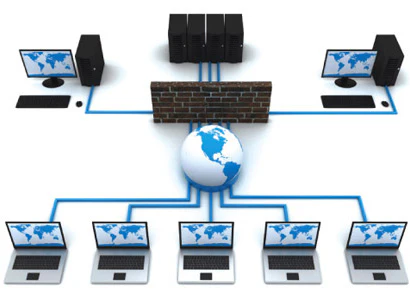
Let’s visualize how all these concepts come together in a practical setting. Imagine a small business with 20 employees across two departments: Sales and Support. The business needs a reliable and secure network.
- The Core: At the center of their network, they would use a managed Layer 3 switch. This switch will act as the core, connecting to the internet router and handling traffic between different departments.
- Segmentation: The network administrator uses the managed switch to create two VLANs:
VLAN 10for Sales andVLAN 20for Support. This keeps their traffic separate and secure. - Connectivity: Each department has its own smaller, unmanaged Layer 2 switch. The Sales team’s 10 computers are plugged into their switch, which is then connected to a port on the core switch assigned to
VLAN 10. The Support team’s setup is identical, but their switch is connected to a port assigned toVLAN 20. - Communication: When a Sales team member sends a file to another Sales team member, the traffic goes to the local unmanaged switch, which forwards it directly. When a Sales member needs to access a resource on the Support network, the traffic goes to the core Layer 3 switch. The switch, knowing how to route between
VLAN 10andVLAN 20, forwards the packet accordingly.
This setup, combining different types of switches and VLANs, demonstrates a scalable and efficient networking and switching design. For further reading on business technology and digital strategy, resources like Forbes Planet can offer valuable insights.
Conclusion
From the simple hub in a home office to the complex web of Layer 3 switches and VLANs in a corporate data center, networking and switching are the fundamental technologies that power our digital lives. Switches are the unsung heroes of the internet, working tirelessly behind the scenes to direct data with incredible speed and precision. They create efficient pathways, enhance security through segmentation, and ensure reliability with protocols like STP.
Understanding these core principles—how a switch learns, the differences between switch types, and the methods they use to forward traffic—provides a solid foundation for anyone interested in information technology. The next time you send an email or stream a video, take a moment to appreciate the intricate dance of packets and protocols happening on the network, all made possible by the elegant and powerful world of networking and switching.
Frequently Asked Questions (FAQ)
Q1: What is the main difference between a hub and a switch?
A hub is a basic networking device that operates at Layer 1 (the Physical Layer). It broadcasts any data it receives to every port. A switch is a more intelligent device that operates at Layer 2 (the Data Link Layer). It learns the MAC addresses of connected devices and forwards data only to the specific port of the intended recipient, which is much more efficient and reduces network congestion.
Q2: Can I replace my router with a switch?
No, a router and a switch serve different functions. A switch creates a network by connecting multiple devices together. A router connects networks together and connects your local network to the internet. Most home “routers” are actually combination devices that include a router, a switch, and a wireless access point. You need a router for internet access, but you can add a switch to your network if you need more wired ports.
Q3: Do I need a managed or unmanaged switch for my home?
For almost all home use cases, an unmanaged switch is perfectly fine. It’s simple, inexpensive, and requires no setup. You would only need a managed switch if you are a tech enthusiast who wants to experiment with advanced networking features like VLANs or QoS for prioritizing gaming or streaming traffic.
Q4: What is PoE and why would I need it on a switch?
PoE stands for Power over Ethernet. A PoE-enabled switch can deliver both data and electrical power to compatible devices over a single Ethernet cable. This is extremely useful for powering devices like IP security cameras, wireless access points, and VoIP phones, as it eliminates the need for a separate power adapter and outlet near the device.
Q5: What does “broadcast storm” mean in networking and switching?
A broadcast storm is a network malfunction that occurs when broadcast or multicast frames are endlessly looped and amplified across a network. This is usually caused by a switching loop in a network topology that does not have Spanning Tree Protocol (STP) enabled. The storm consumes all available bandwidth and processor resources on network devices, quickly bringing the network to a halt.
Stay Informed With the Latest & Most Important News
Previous Post
Next Post
Previous Post

Next Post









Advertisement